+86-13613020876


Ar Smart Glasses are moving from novelty to everyday tools, but the category remains uneven. Counterpoint Research reported that global smart-glasses shipments grew 210% year over year in 2024. That figure signals momentum, not a guarantee that every model is useful. Grand View Research estimated the global smart-glasses market at $1.93 billion in 2023 and forecast a 27.3% compound annual growth rate through 2030. Forecasts are not promises; buying decisions still depend on what a device can do today.
A good pair should fit your routines, face, and budget. Think about where you will wear it: on a bright commute, during a video call, or while following navigation on foot. Check display visibility, weight, prescription-lens support, battery life, microphone quality, and how controls work with gloves or sweaty hands. Privacy indicators and clear recording controls matter, too. Details matter. A sleek frame can feel awkward after an hour, and a bright display may disappear outdoors.
This guide turns those practical checks into 10 buying tips. It will help you compare optics, comfort, connectivity, software support, and repair options without treating headline features as proof of quality. Try a demo if possible, and test the fit for more than a minute. Some compromises are unavoidable; I would not pretend otherwise. The right choice is the pair that performs reliably in your real day, not the one with the longest feature list.
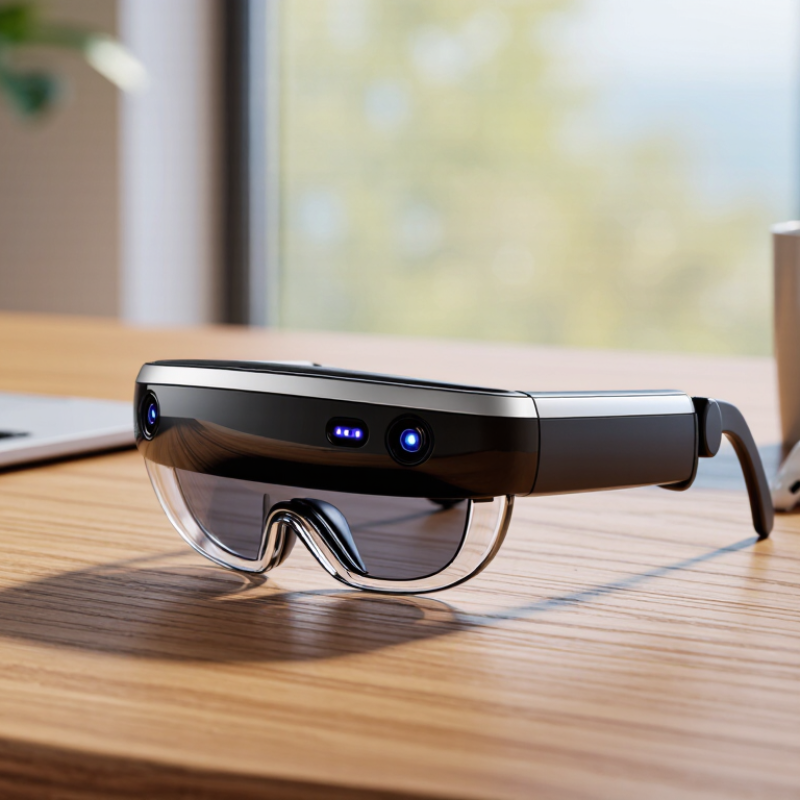
Start with the moments when you would actually wear the glasses. A commuter may need turn prompts that stay readable outdoors, while a technician may value hands-free diagrams beside equipment. For reading, check whether text remains sharp without forcing you to hold your head still. For navigation, look for clear arrows that do not block pedestrians or signs. Your main use should decide which features matter.
Check the display’s brightness, field of view, and focus range in realistic settings, not only in a bright showroom. That matters. Try the glasses with your usual prescription, if applicable, and notice pressure on your nose after several minutes. Voice control can help when your hands are busy, but test it in a noisy room. Ask how the device handles offline tasks, battery use, and software updates; advertised features may depend on a phone or internet connection. Test both. It is easy to chase the most impressive demo and overlook daily comfort. Write down two essential tasks and one deal-breaker before comparing models. A feature that looks clever may simply add visual clutter.
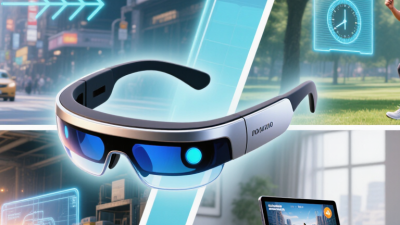
Display clarity is easy to judge badly in a bright showroom. Try reading small text, then look at a pale wall and a dark corner. Check whether letters stay sharp when your eyes move, and whether bright graphics wash out nearby details. If possible, test the glasses outdoors and indoors. Lighting changes everything.
Field of view affects how much of a digital image appears without turning your head. A wider view can make directions or diagrams feel more natural, but it may also increase bulk or power use. Look straight ahead, then glance to each side. Notice where the image begins and ends. A narrow view is not always a deal-breaker, but it can feel like looking through a small window.
Tracking determines whether virtual objects stay in place as you move. Walk a few steps, turn your head, and reach toward a fixed graphic. Watch for drift, delay, or sudden jumps. Test in a room with clear edges, then near a plain wall; tracking can behave differently in each setting. Don’t trust one quick demo. I once focused so much on sharp text that I barely noticed the image slipping during a turn. That was my mistake. Try them yourself.
| No. | Buying tip | What to compare | Practical check |
|---|---|---|---|
| 1 | Check display clarity | Per-eye resolution, text sharpness, and edge clarity | Read small text and inspect fine lines in a live demo. Resolution alone does not show how clear the image will look through the optics. |
| 2 | Compare field of view | Horizontal and vertical field-of-view figures, when provided | Try the same virtual object in each pair. A wider field of view can show more of the image at once, but may make the display harder to see clearly at the edges. |
| 3 | Evaluate brightness and contrast | Brightness specifications, contrast, and visibility in your usual lighting | Test bright backgrounds and dark scenes indoors and near a window. A specification measured in nits is useful for comparison, but real-world visibility also depends on lens tint and ambient light. |
| 4 | Match tracking to your use | Three-degrees-of-freedom (3DoF) orientation tracking versus six-degrees-of-freedom (6DoF) position-and-orientation tracking | For anchored objects that should stay in place as you move, check whether the glasses support 6DoF tracking. Confirm which tracking features work in the apps you plan to use. |
| 5 | Test tracking stability | Drift, latency, and recovery after the view is briefly obstructed | Move your head and walk a short distance while watching a fixed virtual object. Check whether it remains steady and how quickly tracking recovers. |
| 6 | Check refresh rate and motion comfort | Supported refresh rates and the smoothness of moving images | View scrolling text and moving content at the settings you expect to use. Higher refresh rates can look smoother, but comfort also depends on latency, fit, and the application. |
| 7 | Consider prescription and eye-box fit | Prescription-lens support, adjustable fit, and the usable viewing area | Try the glasses with your usual vision correction. Check whether the full image stays visible when the frame shifts slightly on your face. |
| 8 | Assess comfort and balance | Weight, pressure points, nose support, and cable placement | Wear the glasses for at least 15 minutes if possible. Notice pressure on the nose and ears, heat, and whether connected cables pull on the frame. |
| 9 | Verify device and app compatibility | Supported phones, computers, operating systems, connection types, and required adapters | Check the manufacturer’s compatibility list for your exact device and operating-system version. A USB-C connector does not by itself guarantee video output or full feature support. |
| 10 | Compare battery, audio, and privacy details | Rated battery life, audio performance, microphone controls, and display visibility to bystanders | Look for battery-life conditions in the specifications, test audio in a quiet setting, and check how recording or camera indicators work if the glasses include cameras. |
Before buying AR smart glasses, check the exact phone operating-system version and required app permissions. “Compatible with iOS” or “works with Android” can hide limits on notifications, camera controls, or voice features. Bluetooth SIG’s 2024 Market Update forecasts 7.5 billion Bluetooth device shipments annually by 2028, but widespread Bluetooth adoption does not guarantee that every device supports the same profiles or features. Ask whether the glasses need a companion app, Wi-Fi, or a particular Bluetooth version. Test pairing in the shop if possible. A quick connection is reassuring; a successful call and notification test are better.
Connectivity affects daily comfort. Walk to the next room during a call and notice whether audio stutters. Check whether the glasses reconnect automatically after your phone’s screen locks. Then look closely at battery claims: playback time may differ from mixed use with calls, navigation, or a bright display. IDC’s 2024 Worldwide Quarterly AR/VR Headset Tracker projected 9.7 million AR/VR headset shipments that year, but that category-wide figure says little about one pair’s endurance. Bring your usual phone, test your intended features, and ask what settings reduce runtime. Small details matter. I once overlooked standby drain; the glasses were charged at breakfast and nearly empty by evening. Not ideal. Read the return policy, then judge battery life under your own routine, not a best-case demo.
Suggested buyer-priority scores for the checks that matter most when comparing AR smart glasses.
Scores are editorial guidance on a 1–5 scale, not measured product specifications. Check device compatibility, connection requirements, and real-world battery life against your own needs.
Comfort is more than the weight listed on a product page. Try the glasses for at least ten minutes, and notice pressure on your nose, temples, and ears. Small discomfort can become distracting during a commute or a long meeting. Check whether the display stays readable when you turn your head, and whether the frame slips when you look down. Bring your usual prescription lenses if you wear them. A fit that works over a mirror may feel different after an hour.
Check durability in ordinary, practical ways. Look for sturdy hinges, a secure fit around the lenses, and clear guidance on cleaning and storage. Ask whether replacement parts are available before a small scratch becomes a major problem. Keep in mind that water resistance does not automatically mean a device is safe to wear in heavy rain. No checklist catches every weakness. A careful inspection is useful, but it cannot replace months of daily use.
Privacy deserves the same attention as comfort. Find out when cameras or microphones are active, and whether visible indicators show that recording is underway. Read how captured data is stored, shared, and deleted; vague wording is a reason to ask more questions. Check whether core features work without uploading personal recordings. It is easy to focus on the display and overlook these settings. Take time to review them before pairing the glasses with your phone, especially if you plan to wear them around other people.
Before buying AR smart glasses, test the software with the tasks you actually perform. Open a work document, follow a navigation prompt, and check whether notifications remain readable outdoors. Small delays matter. Ask how often the companion app receives updates and which phones or operating systems it supports. A feature that depends on an app may stop working smoothly after your phone changes. Check whether core functions still work without a cloud account or internet connection. Support details can be vague, so confirm them in writing.
Read the warranty before focusing on the advertised price. Look for coverage length, battery terms, repair options, and exclusions for scratched lenses or accidental damage. A short warranty may leave you paying for repairs soon after purchase. Ask how long replacement parts are expected to remain available. Keep the answer. You may need it later.
Estimate total cost of ownership over two or three years, not just at checkout. Include prescription inserts, protective cases, paid software features, shipping, and possible repairs. A lower-priced pair can become expensive if its battery is difficult to replace. Compare those costs with how often you will use the glasses; an occasional weekend device may not justify ongoing fees. My own estimates would still be imperfect, because repair prices and software policies can change. That uncertainty deserves a line in your budget.