10 Best Wearable Display Glasses for Global Buyers

Wearable Display Glasses are moving from experimental prototypes into practical tools for work, travel, entertainment, and accessibility. Global buyers now face a crowded market with very different designs, prices, and technical limits. Some models project notifications clearly, while others focus on immersive video or hands-free productivity. The difference is noticeable in real situations.

Steve Mann, widely recognized as a pioneer of wearable computing, described the field as “the study of designing, fashioning, and using wearable computers.” His perspective remains valuable because modern glasses must serve the body, not only the screen. Comfort, balance, heat, and control matter during a long train journey or a full work shift.

This guide examines ten Wearable Display Glasses for international buyers. It considers display brightness, field of view, resolution, battery life, audio quality, software support, and prescription compatibility. It also considers everyday details. Can users read text beside a sunny window? Do the arms press against the temples? Is setup simple for someone using a different language or phone system?

No ranking is perfect. A lightweight model may offer weaker immersion. A powerful model may feel uncomfortable after forty minutes. Marketing claims can also hide important trade-offs. Therefore, this selection combines published specifications with practical buying considerations and independent user expectations. Availability, warranty coverage, regional compatibility, and data privacy should still be checked before purchase. The best choice is not always the most advanced one. It is the pair that fits a buyer’s routine, eyes, devices, and realistic budget.

10 Best Wearable Display Glasses for Global Buyers

What Are Wearable Display Glasses and How Do They Work?

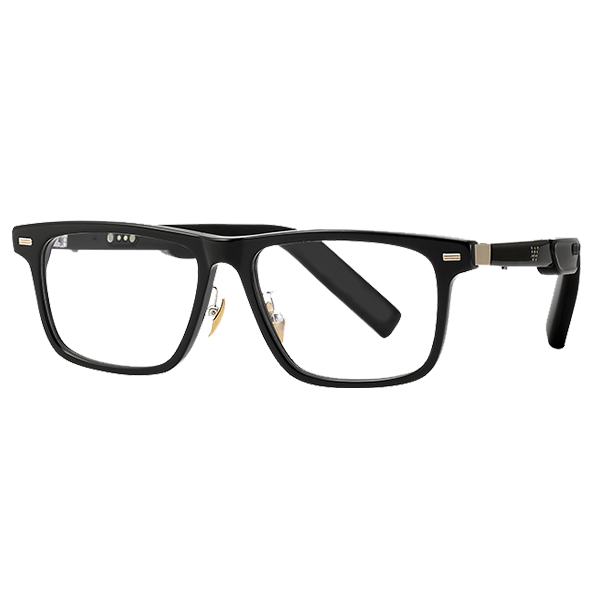
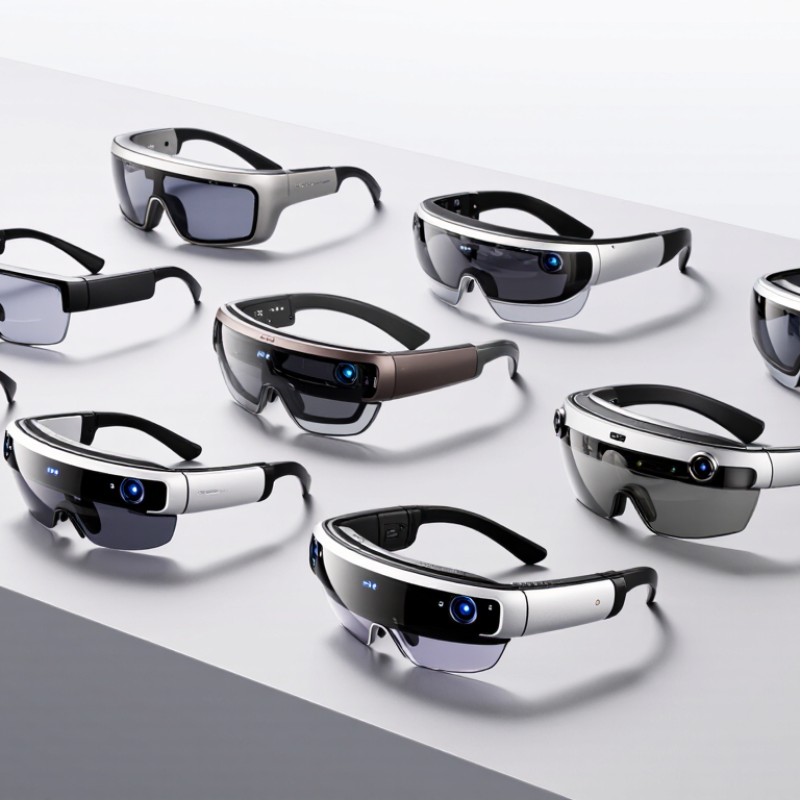
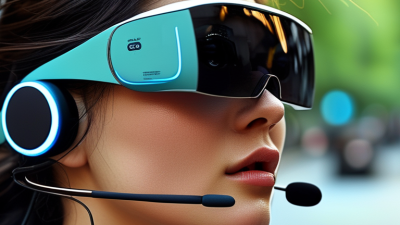
Wearable display glasses are lightweight eyewear that places digital images near the user’s eyes. Unlike ordinary glasses, they may contain microdisplays, optical lenses, cameras, speakers, and motion sensors. The image appears to float in front of the wearer, while the surrounding environment remains visible. This design supports navigation, remote instructions, translation, training, and hands-free information access.

The glasses receive content from a phone, computer, or built-in processor. A tiny display generates light, and optical components guide that light toward the eye. Some systems show information on one side only. Others create a wider visual field with depth effects. Sensors can track head movement, so a virtual label may stay near a real object when the user turns. Bright rooms can reduce contrast. Narrow viewing angles can also make text difficult to read.

Comfort matters as much as resolution. A heavy frame may cause pressure around the nose after an hour. Battery life, heat, prescription support, and privacy controls deserve careful testing. Cameras can capture surroundings, even when users do not notice them. Clear recording indicators and responsible data handling are essential. I would not treat every advertised feature as equally useful. In practical use, a simpler display can outperform a more advanced one if it remains readable, stable, and comfortable. The technology is promising, but imperfect.

Key Features to Compare Before Choosing a Pair

Choosing wearable display glasses starts with the image, not the frame. In real use, text should remain sharp while walking, turning, or looking through a bright window. Compare resolution, field of view, refresh rate, and edge clarity. A wide view feels immersive, but it may reveal more visual distortion. Check whether brightness adjusts automatically. Manual controls still matter outdoors. They are often overlooked.

Comfort decides whether the glasses survive beyond a short demonstration. Measure total weight, nose pressure, temple grip, and balance around the ears. Adjustable hinges and several nose-pad sizes can prevent slipping during long commutes. I also test them with prescription inserts, sunglasses, and a winter hat. Small conflicts appear quickly. Heat is another concern. After an hour, warm frames or blocked ventilation can become distracting.

Compare battery life under actual conditions, not only laboratory claims. Streaming video, high brightness, and wireless audio drain power faster. Check charging time, cable type, standby consumption, and whether the display dims before shutdown. Compatibility deserves equal attention. Confirm support for your phone, operating system, input method, and required application. Reliable products provide clear manuals, firmware updates, repair channels, and privacy settings. Camera-free designs may feel less capable, yet they reduce social discomfort in shared spaces. I would still question vague specifications and impressive demonstrations. A careful trial in sunlight, indoors, and motion is more revealing.

10 Best Wearable Display Glasses for Global Buyers - Key Features to Compare Before Choosing a Pair

Rank Wearable Display Type Display Technology Typical Resolution Approx. Field of View Approx. Weight Connectivity Power Profile Audio & Controls Best Use Case Key Buying Consideration
1 High-Resolution Video Glasses Micro-OLED 1,920 × 1,080 per eye Approximately 45°–50° Approximately 75–90 g including cable USB-C, DisplayPort Alt Mode, selected mobile adapters Usually powered by an external device or pocket battery Integrated speakers; physical buttons or inline controls Private cinema, gaming, travel and remote-work screens Check device compatibility, image sharpness and support for prescription inserts.
2 Portable 3D Display Glasses Micro-OLED with stereoscopic rendering 1,920 × 1,080 per eye Approximately 45°–50° Approximately 80–100 g including cable USB-C video input; adapters may be required for some phones Typically 2–5 hours with a compatible mobile power source Built-in stereo audio; side-mounted controls 3D films, immersive games and large-screen media consumption Confirm 3D format support, refresh rate and whether a separate converter is required.
3 Lightweight HUD Glasses Monochrome or color microdisplay with reflective optics Typically 640 × 400 to 1,280 × 960 Approximately 15°–30° Approximately 35–55 g Bluetooth, Wi-Fi or USB-C depending on configuration Approximately 3–8 hours of active use Open-ear speakers; touchpad, button or voice control Notifications, navigation prompts, teleprompter text and hands-free information Compare text readability, outdoor visibility and the position of the display in the wearer’s view.
4 Developer-Oriented AR Glasses Microdisplay with waveguide or birdbath optics Commonly 1,280 × 720 to 1,920 × 1,080 Approximately 30°–50° Approximately 70–130 g USB-C, Wi-Fi 6 and Bluetooth; some require a compute unit Approximately 2–4 hours with active spatial features Speakers, microphone, head tracking and software controls Software development, industrial visualization and spatial-computing trials Review operating-system support, SDK access, tracking accuracy and regional software availability.
5 Enterprise Assisted-Reality Glasses Monocular or binocular microdisplay Commonly 640 × 480 to 1,280 × 960 Approximately 20°–40° Approximately 60–150 g Wi-Fi, Bluetooth, USB-C and optional cellular through a paired device Approximately 4–8 hours with replaceable or external batteries Voice control, camera, microphone and programmable buttons Remote assistance, warehouse picking, maintenance and field-service instructions Prioritize ruggedness, glove-friendly controls, security management and battery replacement options.
6 Consumer Audio Glasses with Display Add-On Compact monochrome or color microdisplay Typically 640 × 400 to 1,280 × 720 Approximately 15°–25° Approximately 40–65 g Bluetooth 5.x; selected models also use Wi-Fi Approximately 4–10 hours depending on display and audio use Open-ear audio, microphones, touch controls and voice assistant support Calls, notifications, navigation and discreet everyday information Check privacy indicators, microphone performance, prescription-lens support and companion-app regions.
7 Sports and Outdoor Display Glasses Reflective microdisplay or waveguide Typically 640 × 400 to 1,280 × 720 Approximately 15°–30° Approximately 35–70 g Bluetooth, GPS through a paired device and USB-C charging Approximately 4–12 hours depending on brightness and GPS use Open-ear audio, buttons and optional heart-rate or cycling sensors Workout metrics, cycling navigation, pace information and outdoor alerts Look for sunlight readability, sweat resistance, secure fit and low-latency data updates.
8 Camera-Enabled Smart Glasses Optional notification display; camera-first design Display resolution varies; some configurations have no visual display Usually limited or not applicable Approximately 45–55 g Bluetooth, Wi-Fi and smartphone companion application Commonly a full day of intermittent use; shorter with frequent recording Camera, microphones, open-ear speakers and touch or voice controls Hands-free photos, video calls, translation and voice-based assistance Check recording indicators, local privacy laws, storage limits and cloud-service availability.
9 Industrial Ruggedized AR Glasses High-brightness microdisplay with protective optics Typically 1,280 × 720 to 1,920 × 1,080 Approximately 30°–50° Approximately 100–250 g with mounting and battery accessories Wi-Fi, Bluetooth, USB-C and optional private-network connectivity Approximately 2–8 hours; hot-swappable battery designs are common Noise-resistant microphone, speaker, camera and physical controls Manufacturing, logistics, inspection, training and hazardous-area workflows Verify ingress protection, operating temperature, drop resistance, certifications and service support.
10 Prescription-Friendly Everyday Display Glasses Low-power microdisplay with optical combiner Typically 640 × 400 to 1,280 × 720 Approximately 15°–30° Approximately 40–75 g Bluetooth, USB-C and smartphone companion application Approximately 4–8 hours of active display use Open-ear audio, voice assistant, touch controls and notifications Daily commuting, translation, reminders and discreet productivity Confirm optical-center adjustment, prescription range, nose-pad comfort and replacement-lens availability.

Note: Specifications are representative industry ranges rather than a single product specification. Actual performance varies by configuration, brightness, content type, connected device, software region, ambient light and usage conditions. Buyers should verify current technical documentation, regional compatibility, warranty coverage and prescription-lens support before purchase.

The 10 Best Wearable Display Glasses for Global Buyers

The 10 Best Wearable Display Glasses for Global Buyers

The 10 best wearable display glasses should be judged beyond screen brightness. Global buyers need clear optics, stable wireless links, low weight, and reliable privacy controls. Grand View Research estimates the smart glasses market will grow strongly through 2030, with a compound annual growth rate above 20%. That expansion reflects wider use in navigation, remote support, training, and hands-free work.

Display quality still varies sharply. Look for readable text in bright outdoor conditions, adjustable focus, and a viewing angle that feels natural. A 2024 report from Counterpoint Research identified rising demand for lightweight smart eyewear and stronger voice interfaces. However, battery life remains a practical weakness. Several models may last only a workday with continuous display use. Comfort also deserves more attention than marketing usually gives it. After thirty minutes, even a small pressure point becomes obvious.

Tips: Check prescription compatibility, regional wireless support, charging standards, and language options before buying. Test the glasses with your phone, not only in a showroom. Ask whether replacement lenses and software updates remain available internationally. There is no perfect ranking. Personal fit, climate, and daily tasks can change the result. I would prioritize comfort over extra features, although that choice is not always easy.

10 Best Wearable Display Glasses for Global Buyers

An anonymized comparison of key specifications commonly used by global buyers when evaluating wearable display glasses. Higher values indicate longer battery life, wider viewing area, or greater environmental protection; lower weight is generally better for comfort.

The products are shown as anonymous options rather than brands. Specification values use commonly reported consumer-device ranges and are intended to support an initial comparison; actual performance may vary by configuration, brightness, connectivity, and usage conditions.

Best Options by Use Case, Region, and Device Compatibility

10 Best Wearable Display Glasses for Global Buyers

Choosing wearable display glasses depends less on appearance and more on your daily setting. Travelers may prefer lightweight frames, bright indoor visibility, and translation support. Remote workers need stable screen mirroring, low latency, and comfortable use beside a laptop. For gaming or video, check refresh rate, speaker quality, and viewing stability. Some models feel excellent for twenty minutes, then become tiring. That detail is easy to miss.

Regional compatibility matters. Confirm the available mobile application in your country before ordering. Check language support, local warranty coverage, charging standards, and return policies. USB-C connectivity helps, but not every phone supports video output through that port. iOS and Android support can also differ. Enterprise buyers should review data handling and account requirements. Regional network features may be limited. No ranking stays perfect.

Tips: Test compatibility with your exact phone, laptop, and operating system. Measure frame width if you wear prescription lenses. Use the glasses in both a dim room and bright daylight. For long sessions, prioritize balanced weight over maximum screen size. Ask sellers about replacement cables and regional service. I would also keep realistic expectations; compact displays rarely replace a full monitor. That is not a flaw, but it changes the best use case.

Buying, Safety, Privacy, and Maintenance Considerations

Choosing display glasses requires more than comparing screen brightness or battery life. IDC’s Worldwide Quarterly Wearable Device Tracker reported 2024 growth in extended-reality wearables, but adoption does not guarantee comfort or safety. Check lens clarity, field of view, weight distribution, and heat near the temples. A clear image can still cause eye strain during long sessions. Look for impact-rated lenses and documented electromagnetic compliance. Do not rely only on marketing language. Ask for test standards and independent laboratory evidence.

Privacy deserves equal attention. These glasses may include cameras, microphones, location services, or cloud-connected assistants. The 2024 Deloitte Connected Consumer Survey showed that data privacy remains a major concern for connected-device users. Review recording indicators, storage settings, deletion controls, and permission menus before purchase. Avoid using cameras in private spaces without consent. Regulations differ across countries, so international buyers should check local privacy requirements. A perfect checklist does not exist. I would still test every permission manually.

Tips: Buy from a seller with clear warranty terms and regional support. Confirm replacement lenses, charging requirements, and repair options. Clean lenses with a microfiber cloth, not household glass cleaner. Store the glasses in a rigid case, away from heat and moisture. Update firmware through trusted networks, and disable unused sensors. After thirty minutes, remove them briefly. Your eyes may notice what specifications miss. Be cautious with battery swelling, loose hinges, or sudden screen flicker; stop using the device and seek qualified service.