+86 18927400980
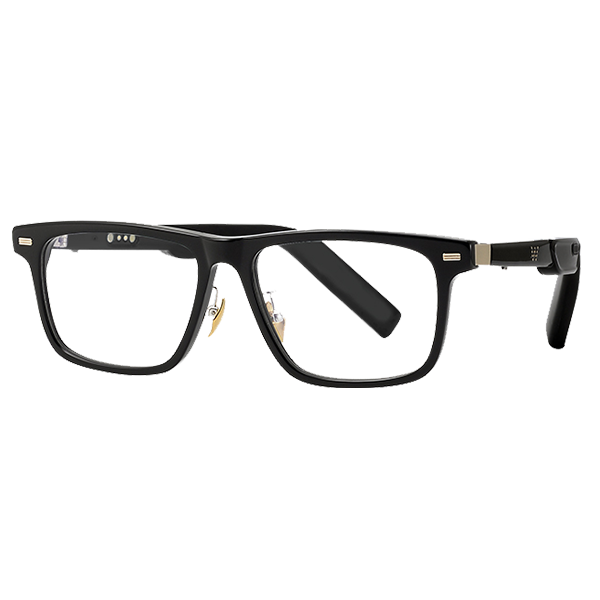
Hands-Free Smart Glasses can make everyday tasks smoother, from following walking directions to taking calls while your hands are occupied. Yet a sleek frame is not automatically a useful one. Fit comes first. A pair that presses behind your ears after twenty minutes may spend more time in a drawer than on your face. Check the weight, nose-pad comfort, prescription options, and whether the lenses suit the lighting where you actually spend your day.
The best choice depends on what you need the glasses to do. Compare microphone clarity in a busy café, speaker volume on a quiet street, battery life across a normal workday, and how easily the controls respond. Small details matter. Check which phones and apps are supported, how updates are handled, and whether replacement parts or customer support are available. Privacy also deserves attention: learn when cameras or microphones are active and how recordings are stored or shared. Features and policies vary by model, so verify them with the manufacturer rather than relying on a sales headline.
These ten tips offer a practical way to compare comfort, performance, durability, and cost before buying. If possible, try the frame on and test its controls in person. A short demo cannot predict months of wear, though. That is worth remembering. Some compromises—such as limited battery life or awkward voice commands—may only become clear with regular use, and no single pair suits everyone.
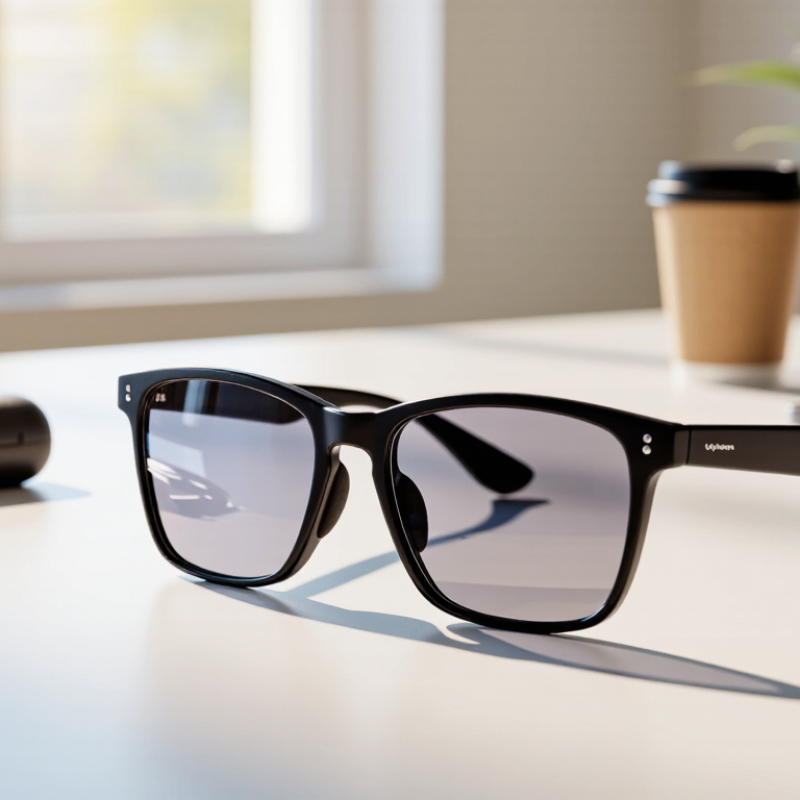
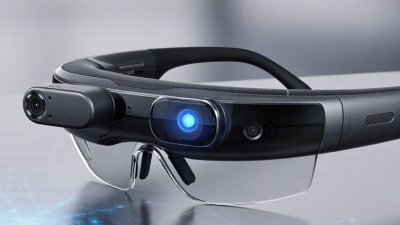
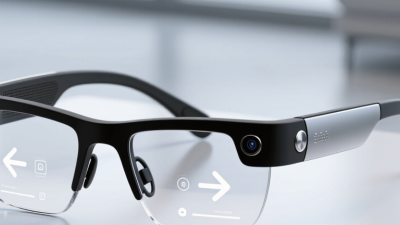
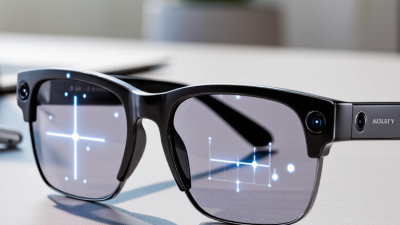
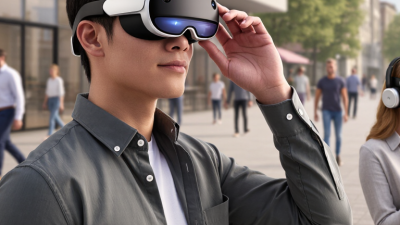
Hands-free smart glasses combine a camera, microphones, speakers, and a small display in a wearable frame. The useful features depend on how well these parts work together. Check whether voice controls respond in a quiet room and near ordinary street noise. Then test whether the speakers remain clear without making nearby conversations easy to hear. Small details matter.
Battery life is more than a number on a product page. Try a typical routine: a few calls, brief voice commands, and occasional photo capture. Notice whether the frame feels comfortable after an hour, especially around the nose and ears. Weight balance matters. A bright display may help outdoors, but it can also drain power or distract you. Some features sound essential until you use them daily; I would question any feature that requires repeated taps or confusing setup.
Privacy controls deserve close attention. Look for a clear recording indicator, accessible camera controls, and simple ways to review or delete saved files. Also check how the glasses connect to your phone and which functions work without an internet connection. Read the companion app’s data settings before relying on it. Real-world performance can be uneven, and that is worth admitting: voice recognition may struggle in wind, while prescription compatibility varies by frame and lens options. Test the fit and core functions before choosing.
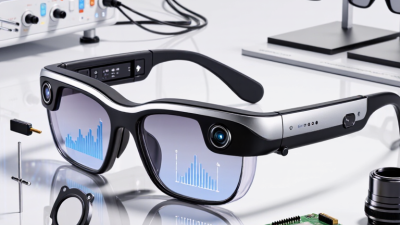
Hands-free smart glasses are most useful when they fit routines you already have. List the tasks you repeat: answering calls, following walking directions, recording voice notes, or listening to audio while cooking. For commuting, clear sound and simple controls may matter more than advanced camera features. Small details matter. Check whether the frames stay comfortable with a hat, helmet, or prescription lenses, if you use them.
Match the glasses to your surroundings. In a quiet home office, voice commands may work smoothly. On a windy street or busy train platform, microphone pickup and speaker volume become more important. Test them outdoors. Bright sunlight can make small displays harder to read, while open speakers may be difficult to hear near traffic. Comfort wins, but only if battery life covers your usual day.
Consider how often you will use each feature, not just whether it sounds impressive. A long feature list can be misleading; a camera you rarely use adds little value. Check charging needs, fit, and controls during a normal week, then reconsider your choice. Your first guess may be wrong. Notice when you remove the glasses, miss a notification, or reach for your phone anyway. Those moments reveal whether the device genuinely suits your tasks and environment.
Comfort is easiest to judge after more than a minute. Wear the glasses for 20 to 30 minutes, then notice pressure at the temples, nose bridge, and behind your ears. Slight pressure can become a dull ache during a commute or video call. A good fit feels secure without pinching. Move your head, look down, and smile; frames that slide may need adjustment or a different shape. Check that the lenses stay aligned when you look straight ahead. Some frames fit well indoors but shift with sweat or a hat. That detail is easy to miss. I would not treat one comfortable shop fitting as proof; that judgment can be wrong.
Battery life should match your routine, not just a best-case figure. Ask which features were active during the stated test, such as audio, calls, or a display. Frequent calls or high volume may shorten use between charges. Check how long charging takes and whether the cable suits your usual setup. Durability lives in small parts. Check the hinges. Open and fold the arms gently, and look for looseness, uneven movement, or sharp edges. A flexible frame can feel comfortable, but repeated bending is not a useful strength test. Read the care guidance, too. Sweat resistance does not necessarily mean the glasses can be rinsed or worn in heavy rain. Scratches may still happen in a bag, so consider a hard case and a separate pocket.
| # | What to Evaluate | Practical Check | Useful Selection Guideline | Why It Matters |
|---|---|---|---|---|
| 1 | Overall weight | Check the complete product weight, including any built-in camera, speakers, or battery. | Compare weights across models and try the glasses on; comfort depends on both weight and how it is distributed. | A lighter-feeling design can be more comfortable during extended wear, but fit and balance matter as much as the number on the specification sheet. |
| 2 | Nose and bridge fit | Wear the glasses for at least 10–15 minutes and check for pressure, slipping, or pinching. | Look for a stable fit without painful pressure; adjustable or interchangeable nose pads can help accommodate different nose shapes. | Poor bridge fit can cause discomfort and allow the glasses to slide during normal movement. |
| 3 | Temple and ear comfort | Check whether the arms rest comfortably behind the ears and whether they conflict with headphones or hearing aids you use. | Arms should feel secure without squeezing the sides of the head. | Excessive pressure at the temples or ears may become more noticeable during long wear. |
| 4 | Frame dimensions | Compare lens width, bridge width, and temple length with glasses that already fit you well. | Use the manufacturer’s dimensions as a starting point, then confirm fit in person when possible. | Similar measurements can help narrow choices, although frame shape and flexibility also affect how glasses fit. |
| 5 | Prescription compatibility | Confirm whether prescription lenses are supported and ask an optician about lens type, thickness, and installation. | Check the permitted prescription range and whether replacing lenses affects the warranty. | Not every frame supports every prescription or lens configuration. |
| 6 | Battery runtime | Compare stated runtime for the features you will actually use, such as calls, audio playback, or voice controls. | Choose runtime that covers your typical outing with some reserve; results can vary with settings, signal conditions, and usage. | Battery life is use-dependent, so a headline estimate may not match continuous or feature-heavy use. |
| 7 | Charging and battery care | Check charging time, connector or charging-case requirements, and whether a full charge is easy to verify. | Prefer a charging setup that fits your routine, and review the care instructions for storage and charging. | Convenient charging can make limited runtime easier to manage; rechargeable batteries gradually lose capacity with use. |
| 8 | Sweat and water protection | Look for a published IP rating and read exactly what the rating covers. | For example, IPX4 indicates protection against water splashes under specified test conditions, not submersion. | Ratings help clarify tested protection, but they do not make a device waterproof in every situation. |
| 9 | Frame and hinge durability | Inspect the hinges, joints, and frame materials; check the care guide for bending, heat, and impact limits. | Look for a clear warranty and repair or replacement process, and avoid assuming that a flexible frame is indestructible. | Everyday durability depends on construction, handling, and maintenance, not just the material name. |
| 10 | Controls, audio, and daily usability | Test voice commands and physical controls in a quiet setting and, if possible, in a typical outdoor environment. | Check whether essential functions work hands-free and whether audio remains suitable for your surroundings. | Usability, privacy, and awareness of nearby people and traffic are important parts of comfortable everyday use. |
10 Tips for Choosing Hands-Free Smart Glasses?
Check compatibility before judging the features. Confirm the glasses support your phone’s operating system and required app. Bluetooth pairing alone may not enable calls, notifications, or voice controls. Check whether your phone model and software version are supported. A quick test with your own device can reveal delays or missing functions. Try it in a quiet room, then near ordinary background noise. Small details matter.
Privacy controls deserve the same attention as convenience. Find out when the microphone is active and whether a visible indicator shows recording or listening status. Review app permissions individually; voice features may need microphone access, while other permissions could be optional. Check whether voice data is processed on the device or sent elsewhere, and read the available storage and deletion settings. Menus can be confusing. Test the controls before wearing the glasses around others.
Accessibility depends on fit and interaction, not just a feature list. If you use captions, screen magnification, or voice access, confirm those tools work together with the glasses. Check whether spoken prompts have adjustable volume and whether physical controls are easy to locate by touch. People who wear prescription lenses should verify lens options and fit with their usual frames. Try common tasks while seated and walking slowly. One hands-free control may still be awkward to use. Reflect on what feels natural after several minutes, not only during a quick demonstration.
A low sticker price can hide expensive replacements. Compare the full ownership cost: lenses, prescription inserts, charging cases, and batteries. Ask whether the battery can be replaced and how long software updates are promised. IDC’s Worldwide Quarterly Wearable Device Tracker forecast 538.9 million wearable shipments in 2024, up 6.1% year over year. That figure covers wearables broadly, not smart glasses alone, but it signals a crowded, fast-changing market. Check the return window before buying.
Tip: Price support, not just hardware. Read the warranty terms for hinge damage, battery failure, and accidental scratches. Ask how quickly support responds and whether repairs require shipping the whole frame. Small details matter. A pair that sits unusable for two weeks is poor value, even if it cost less.
For long-term value, compare the expected years of use against the total cost. Check replacement-part availability, update commitments, and whether basic functions work without a paid service. Look for independent durability testing, not only manufacturer claims. A useful test: wear a demo pair for an hour, then note pressure at the temples and heat near the bridge. I would still treat advertised battery life cautiously; bright displays and frequent recording can change real-world results.